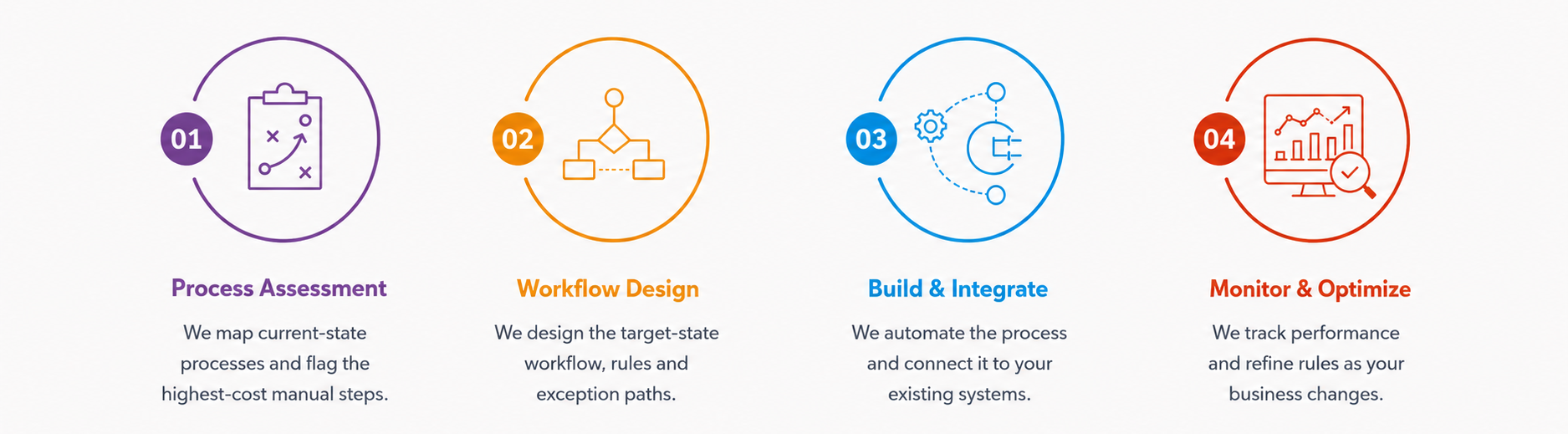
What business processes are best suited for automation?
Processes that are repetitive, rule-based and involve frequent manual work are usually the best suited for automation. Common examples include invoice processing, purchase approvals, employee onboarding, data entry, lead assignment, order processing and recurring reports. Businesses can also automate workflows that require moving information between multiple systems or sending regular notifications and reminders.
What is the difference between business process automation, workflow automation and RPA?
Business process automation solutions is the broader approach of improving business operations through technology. Workflow automation connects different steps in a process, such as submitting, reviewing, approving and completing a request. RPA uses software bots to perform repetitive, rule-based tasks, often across existing applications. These approaches can also work together within one automated business process.
Can business process automation software work with our existing ERP and CRM?
Yes. Business process automation software can connect with ERP, CRM, accounting, HR, inventory and other business systems. APIs, webhooks, database connections and third-party integrations can be used to exchange data between applications. For older systems without modern integration options, RPA may also be used. This allows businesses to automate processes without replacing their existing software.
Can automation be implemented without replacing existing software?
Yes. Businesses can often automate processes around their existing ERP, CRM, accounting or industry-specific systems. Integration tools and APIs can connect different applications, while RPA can help automate older systems that have limited integration capabilities. This allows businesses to improve specific processes gradually without undertaking the cost and disruption of replacing their entire software infrastructure.
How secure are business process automation solutions?
Business process automation solutions can be designed with role-based access, secure authentication, encrypted data transfer and controlled permissions. Audit logs can also track important actions and approvals. Security requirements should be considered during the design stage, particularly when workflows handle financial, customer, employee or other sensitive business information.
How long does it take to implement business process automation services?
The timeline depends on the complexity of the workflow, number of systems involved, integrations required and level of customization. A simple approval workflow can be implemented relatively quickly, while automation involving multiple business applications may take longer. A clear process map and well-defined requirements can help reduce development and implementation time.
What happens when an automated workflow encounters an error?
A properly designed workflow should have clear exception handling for situations that cannot be completed automatically. Depending on the issue, the system can retry the action, notify the responsible employee, route the task for manual review, or log the error for investigation. This ensures that unexpected issues do not silently stop the entire business process and gives teams visibility into what needs attention.
Can automation be used for document and invoice processing?
Yes. Automation can capture information from invoices and documents, validate the data and route it to the appropriate workflow. For example, an invoice can be matched with a purchase order, sent for approval and forwarded to accounting after approval. This reduces manual data entry and helps teams process high volumes of documents more consistently.