What does a CRM system do for a growing business?
A customer relationship management software (CRM) brings customer, prospect and sales information into one central platform. It helps teams manage contacts, track leads, follow sales opportunities, schedule follow-ups and maintain customer interaction history. Can also use CRM reports to monitor pipeline activity and sales performance. This gives growing businesses better control over customer relationships without relying on scattered spreadsheets or disconnected systems.
How does CRM software help manage leads and sales opportunities?
Enterprise CRM software organizes leads and opportunities throughout the sales process. Teams can capture new inquiries, assign leads, track communication, schedule follow-ups and move qualified prospects through defined pipeline stages. Sales managers can quickly identify active, stalled or high-value opportunities. This creates a consistent sales process and reduces the chances of leads being missed or follow-ups being forgotten.
Can CRM software automate sales follow-ups?
Yes. CRM software can automate reminders, task assignments, lead notifications, follow-up emails and other routine sales activities. For example, a CRM can automatically remind a salesperson to contact a prospect after a specific period or notify a manager when an opportunity reaches a particular stage. Automation reduces manual work and helps sales teams maintain timely and consistent follow-ups.
Can a CRM system be customized for different businesses?
Custom CRM software can be customized to match different sales processes, workflows, user roles and reporting requirements. Businesses can configure fields, pipeline stages, dashboards, approval processes and automation rules. When standard CRM features are not enough, custom development can add specific functionality. This allows the CRM to support the way a business operates instead of forcing teams into a fixed workflow.
Can CRM software integrate with ERP and other business systems?
CRM module can connect with ERP, accounting, email, marketing, customer service, payment and other business applications through APIs and integration tools. These connections allow relevant information to move between systems and reduce duplicate data entry. For example, integrating CRM with ERP can help sales teams access relevant order or customer information while allowing operational teams to work with updated sales data.
What reports and dashboards can a CRM provide?
CRM dashboards can show important sales and customer data in one place. Common reports include lead conversion rates, sales pipeline value, opportunity stages, win and loss rates, sales forecasts and team performance. Businesses can also track follow-up activities and identify stalled opportunities. These reports help managers understand sales performance, identify errors and make decisions based on current business data.
How does CRM software improve customer service?
A cloud-based CRM software gives customer-facing teams access to important customer information and interaction history from one place. Depending on the setup, employees can view previous communications, purchases, sales activity, service requests and notes. This helps teams understand customer requirements faster and provide more consistent support. CRM workflows can also assign requests, track progress and notify employees about pending actions.
Can AI be integrated into CRM software?
Yes. AI can support CRM activities such as customer interaction summaries, response drafting, lead prioritization, data analysis and recommended next actions. AI-powered enterprise CRM software features can also help employees find relevant information faster and reduce repetitive administrative work. The exact capabilities depend on the CRM platform and implementation. Businesses should also consider data security and human oversight when using AI with customer information.
How long does it take to implement a CRM system?
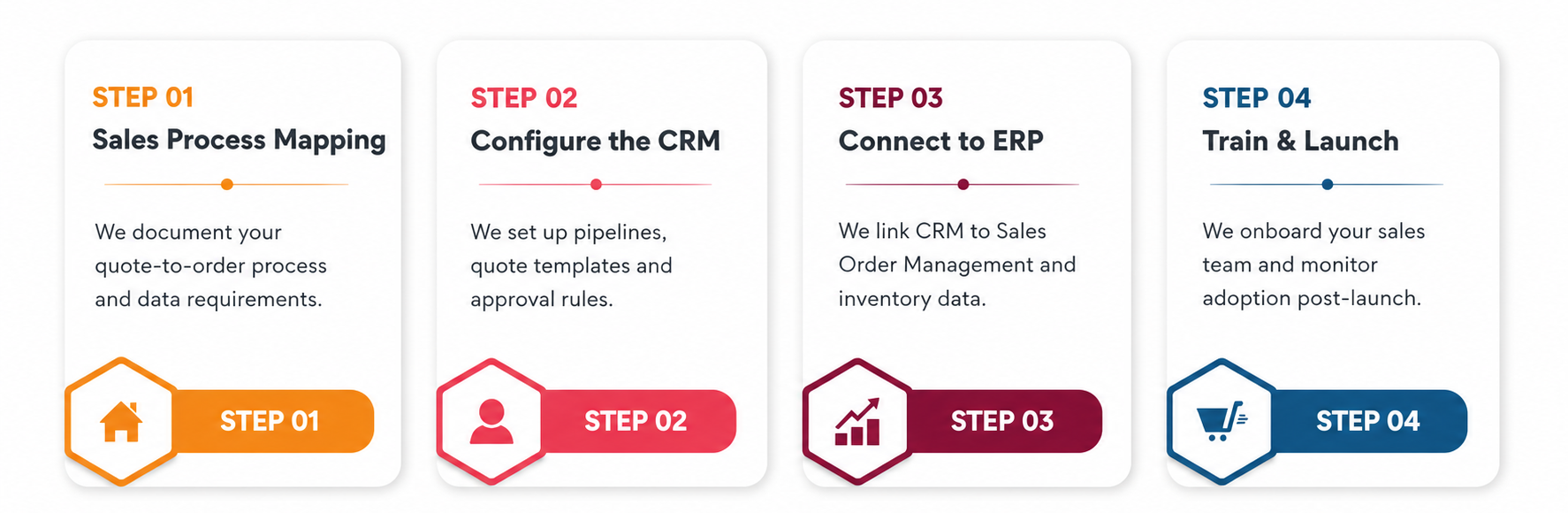
CRM software development time depends on the project's scope and complexity. A standard CRM with basic configuration and limited data migration can be implemented faster than a custom CRM software with multiple integrations and complex workflows. Requirements analysis, configuration, customization, data migration, testing, user training and deployment all affect the timeline. A phased implementation can help businesses introduce core CRM features first and expand later.
What should businesses consider when choosing a CRM system?
Businesses should evaluate the CRM module based on their actual processes and future requirements. Important factors include lead and contact management, sales pipeline tracking, automation, reporting, integrations, customization, user access, security, scalability and mobile support. Companies should also consider implementation and ongoing support requirements. The right CRM should fit the team's workflow and connect effectively with the other systems the business already uses.