What does a Sales Order Management module do?
A Sales Order Management module manages the complete order lifecycle, from order creation and approval to fulfilment, shipment and invoicing. It centralizes customer, product, pricing, inventory and order information in one system. This helps sales and operations teams track order status, reduce manual work, manage pending orders and maintain accurate information across the business.
How does Sales Order Management improve order processing?
It replaces disconnected spreadsheets, emails and manual order tracking with a structured digital workflow. Teams can create orders, check product availability, apply pricing, track fulfilment and manage shipments from one place. By connecting sales with inventory, warehouse and finance operations, the system reduces duplicate data entry and gives teams better visibility into every active order.
Can the module manage out-of-stock items and backorders?
Yes. The order management system can identify when ordered products are unavailable or when inventory is insufficient to fulfil the complete order. Available items can be shipped while the remaining quantities are kept as backorders, depending on your business rules. Teams can then track pending quantities and fulfil them when stock becomes available without losing visibility of the original customer order.
Does Sales Order Management support partial shipments?
Yes. Partial shipment capabilities allow businesses to fulfil available products without waiting for the entire order to be ready. The system can track ordered, shipped and remaining quantities separately. This is useful when products are available at different times or locations, helping businesses maintain accurate fulfilment records while keeping customers informed about what has already been delivered.
How does Sales Order Management connect with inventory and warehouse operations?
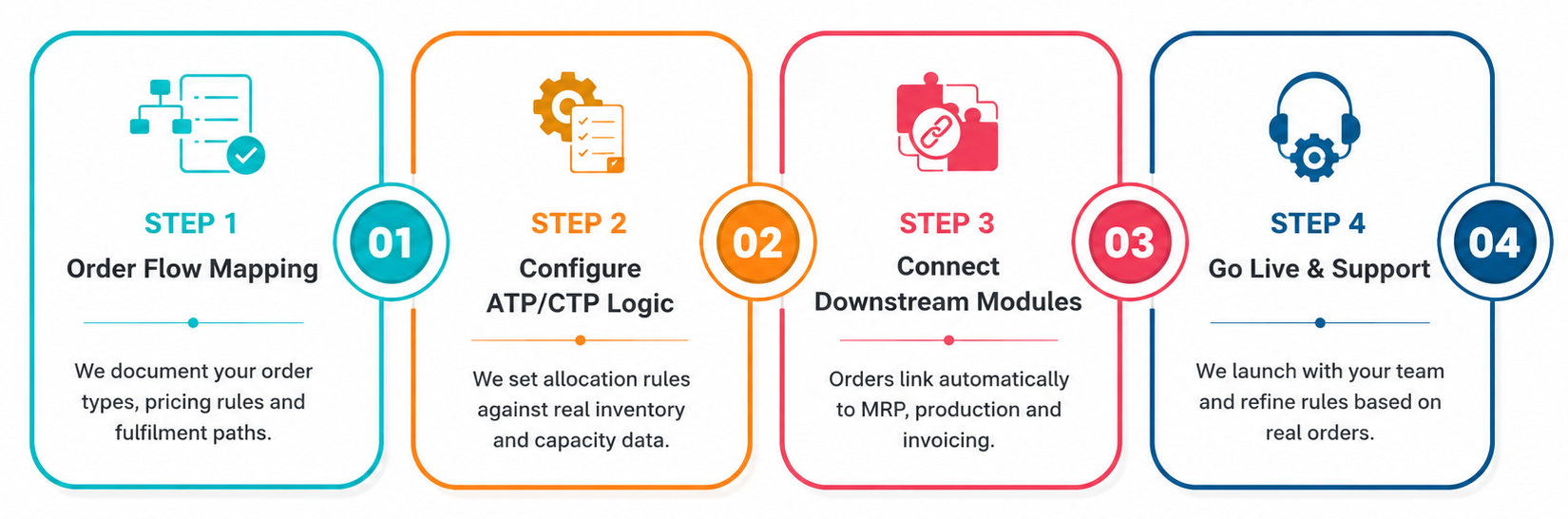
The order management system software connects customer orders with inventory availability and warehouse fulfilment activities. Once an order is confirmed, teams can identify available stock and move items through processes such as allocation, picking, packing and shipping. This connection helps sales teams make informed delivery commitments while giving warehouse teams clear visibility into orders that need to be fulfilled.
Can sales orders be converted into invoices and shipments?
Yes. Sales orders can flow into fulfilment and invoicing processes without requiring teams to recreate the same information manually. Once products are shipped, the system can generate invoices based on configured business rules. It can also support partial shipments and invoicing when an order is fulfilled in multiple stages, creating a clear connection between orders, deliveries and billing.
How can businesses track open and pending sales orders?
A Sales Order Management module provides centralized visibility into order statuses such as pending approval, confirmed, partially fulfilled, shipped or closed. Teams can quickly identify orders waiting for inventory, fulfilment, shipment or invoicing. This makes it easier to prioritize pending work, respond to customer queries and ensure that outstanding orders do not get overlooked.
Can Sales Order Management integrate with other business systems?
Yes. It can integrate with systems such as CRM, ERP, inventory, warehouse management, accounting, E-commerce, payment and shipping platforms. These integrations allow relevant information to move between systems without repeated manual entry. For example, customer data can flow from CRM, inventory information can support order processing and billing details can move into accounting workflows.