Enterprise Modules Workflow Automation Artificial Intelligence Software Development Website Development Mobile Application CRM Module Advance Production Planning Module MRP Module Procurement Module Sales Order Module Purchase Order Module Bill Of Materials (BOM) & Routing Approval Management Contact Us

Document Automation Software

Auto-generate, populate and route contracts, proposals and forms from templates and live data without the need for copy-pasting into Word.

Every document your business sends, generated correctly the first time

Contracts, proposals, offer letters and compliance forms all follow a pattern but building each one by hand invites typos, outdated clauses and version confusion. Krivox builds document automation software that generate these documents from approved templates, pulling live data straight from your CRM, ERP or forms so every document is accurate and on brand without anyone opening Word.

Once generated, documents can route automatically for internal review, e-signature and filing, closing the loop from "We need a contract" to "It's signed and stored" with no manual steps in between.

  • Template-based generation for contracts, proposals & forms.
  • Dynamic data merge from CRM, ERP or web forms.
  • Conditional clauses and logic based on deal type or region.
  • Built-in e-signature routing.
  • Automatic version control and audit history.
  • Auto-filing to the correct folder or record on completion.
DocuSign PandaDoc Adobe Sign Microsoft SharePoint

Where it's used

Contract Generation

Sales and legal contracts built from clause libraries with the correct terms every time.

Sales Proposals & Quotes

Pricing, scope and branding pulled automatically into a ready-to-send proposal.

HR Offer Letters & Policies

Offer letters and policy acknowledgments generated per role, location and level.

Compliance & Regulatory Forms

Standardized forms populated correctly and filed for audit readiness.
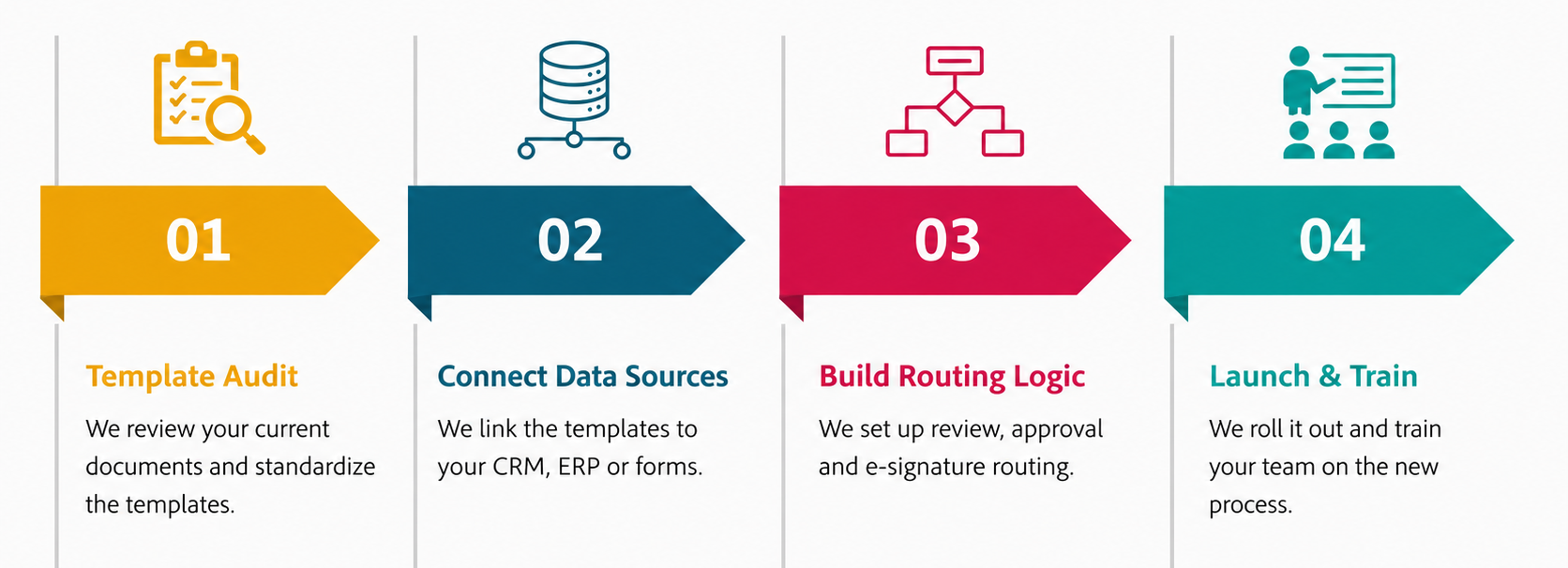
How we build it

Document Automation

Still building documents from scratch every time?

We'll turn your most-used documents into a one-click automated process.

FAQs

What types of documents can be automated?
Businesses can automate invoices, purchase orders, quotations, contracts, proposals, reports, employee documents, forms, compliance records and customer communications. The system can generate documents from templates, extract information from incoming files, route them for approval and store completed documents based on predefined workflows.
Can Document Automation extract data from PDFs and scanned documents?
Document Automation can use OCR and intelligent document automation processing to capture information from PDFs, scanned documents and images. It can identify fields such as invoice numbers, dates, supplier details and amounts, then send the extracted data to the relevant workflow or business system for validation and further processing.
Can Document workflow automation automate approval workflows?
Yes. Documents can be automatically sent to the right person based on predefined rules such as department, document type, amount or role. The system can manage sequential or multi-level approvals, send notifications, track pending actions and maintain an approval history for better visibility and accountability.
Can document automation software integrate with ERP and CRM systems?
Document Automation can connect with ERP, CRM, accounting, HR, procurement and other business applications through APIs or integrations. This allows the system to retrieve existing business data, generate documents, update records and transfer information between applications without requiring employees to repeatedly enter the same information.
Can Document Automation use AI?
Yes. AI can help process documents with different layouts and formats, classify files, extract information, summarize content and identify relevant data. This is particularly useful for invoices, contracts, forms and other unstructured documents. Human review can still be included when the system detects uncertain or exceptional information.
Which business processes are suitable for document workflow automation?
Processes involving repetitive documents, manual data entry, approvals and predictable workflows are good candidates. Common examples include invoice processing, purchase orders, contracts, employee onboarding, sales proposals and customer forms. Businesses should usually start with high-volume processes where automation can deliver measurable improvements in processing time and accuracy.